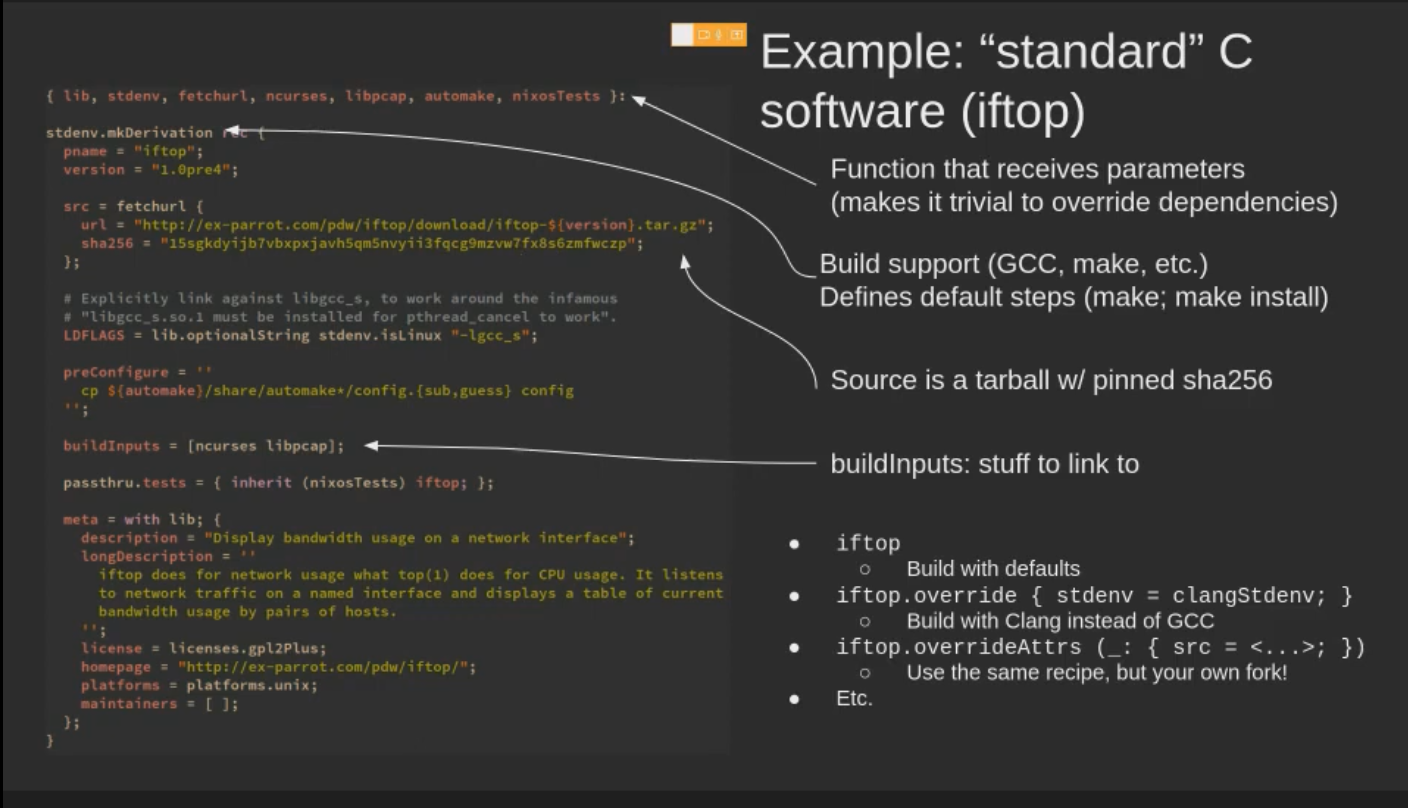
nix-store output = hash of recipie + package name + package version
This allows nix-store
to have different versions of the same software package
to have same version but compiled with different flags aswell!
Has some FHS stuff to keep things posix compliant, eg /bin/sh, /usr/bin/env, all other stuff goes into /nix/store and everything else gets symlinked from /run/current-system
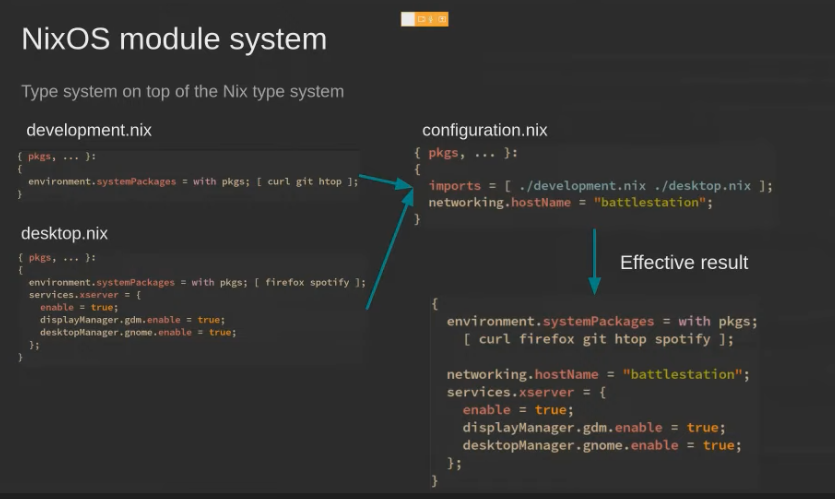
Module system
Tools
nixos-option services.interception-tools.plugins to dig down on options available
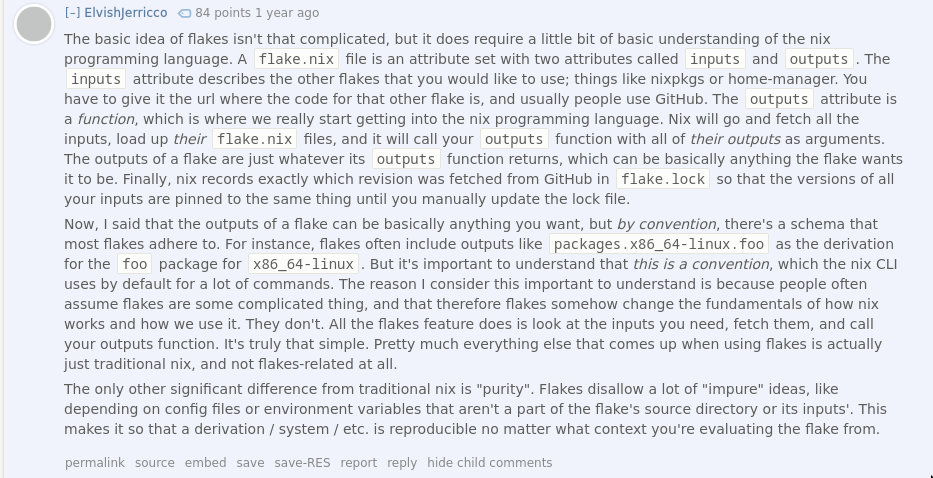
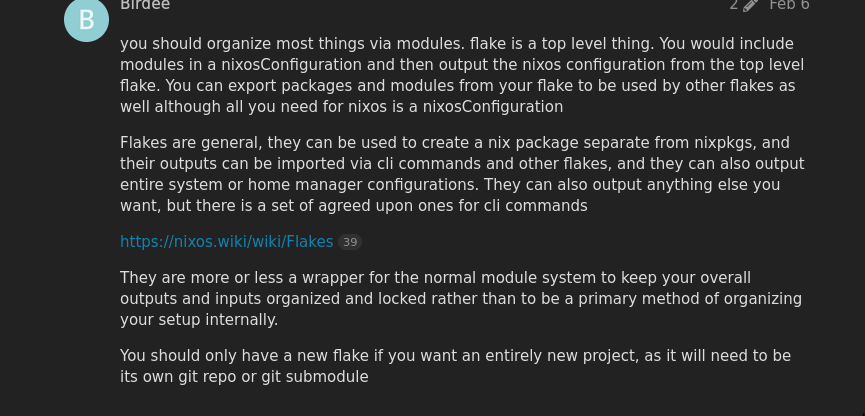
Q: With or without flakes? / channels OR flakes? flakes also seem to use channels? WHAT!
A: We will choose flakes at whatever points we can. Team flakes.
For that reason we have amazon-init
but it has limitations like it doesn’t support gzip
like cloud-init. So your configuration.nix has to be <16k for now.
The fetch-ec2-metadata service in NixOS fetches user data from IMDS and stores in /etc/ec2-metadata/user-data.
The amazon-init service inspects the downloaded user data and tries to detect a script or Nix expression.
So basically we can have nix expression as user-data in aws
and things should work.
If you’re using secrets here, can use something like sops w/ kms.
Managing secrets with user-data
Secrets manager can be used, but parameter store is free so that can be used as-well, the instance just has to be started with the correct iam roles etc. Then use aws cli to pull in secrets.
vanilla: I’m a big fan of this pattern: devShells = builtins.mapAttrs (system: pkgs: { default = adsfasdf asdfsadfa asdfasdf; }) inputs.nixpkgs.legacyPackages; No framework required.
First we need to setup a fresh ubuntu server using normal hcloud tf modules
Build on remote was not working
So I was like fuck it, nix-everywhere and tf is out of the syllabus. I also don’t like how tf is being used to provision, i’d much prefer using nix-everywhere directly via makefile/bashscript or via ansible
Catch is that we’re using ARM here
Installing using the --build-on-remote flag worked. Butt switch had issues
nix-env tool manages environments, profiles and their generations.
nix-env -i installs stuff
Using this is an anti-pattern, we go back to what we had before in non nixos. One global package for everything.
nix-shell
It only provides a bash shell, but that’s mostly all you need.
Ephemeral
This allows us to do shit like nix-shell -p go1.16 -p nodejs23 and then nix-shell -p go1.20 -p ruby3 and it’ll just spin up those environments for us without polluting them in the global namespace.
Reusable environments
This is nice, picks shell.nix / default.nix from current directory
Same idea of ephemeral but now into a file and now can be re-produced anywhere
According to this
thread, playwright-node is more feature-full than playwright-python.
I personally would prefer to use the node version because eitheway you’d need to interfact with the page and you’ll need js for that reason etc.
nixpkgs playwright vs npm install & browser
Two things
Installing playwright
Installing playwright browsers
Installing playwright
Both cases would work, installing playwrightfrom nixpkgs
, which installs the python version of playwright. i.e playwright-python instead of playroght-node
If you want playwright-node you can install using npm just like you’d install any other package. But only thing you need to make sure is to NOT install the browsers though this npm installed version of playwright.
i.e playwright install won’t work
Installing playwright browsers
If you try to install the browsers using the playwright cli installed using npm, it’ll not work because playwright doesn’t know how to install things in nixos.